
The Ultimate Guide to Portable Laptop Battery Chargers: Stay Powered Anywhere
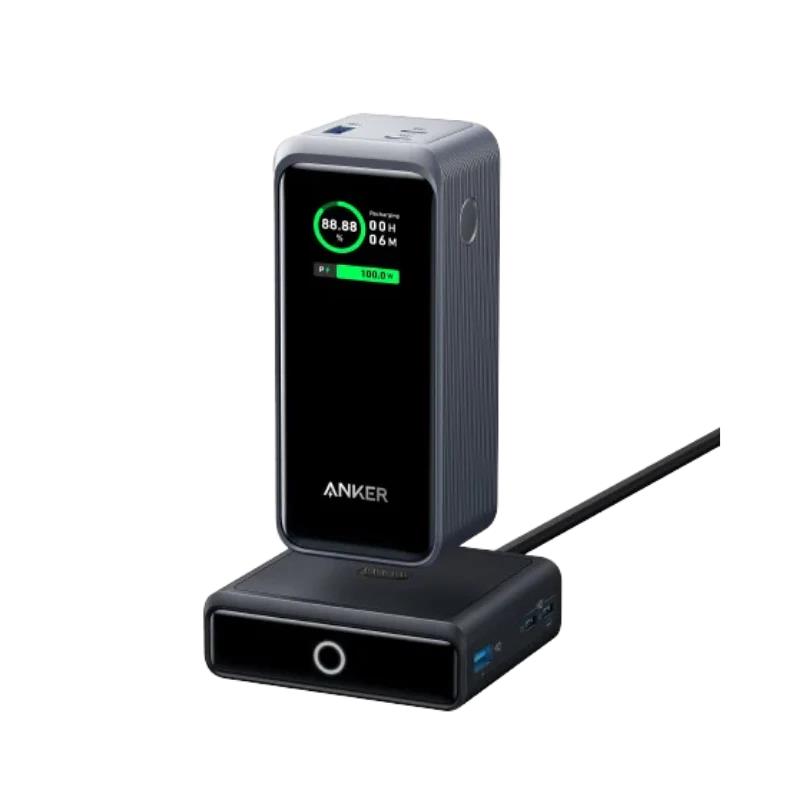
In today’s fast-paced digital world, staying connected and productive on the go is more important than ever. Whether you’re a business traveler, remote worker, student, or content creator, running out of battery at a critical moment can be frustrating and disruptive. That’s where a portable laptop battery charger comes in—a game-changing accessory that lets you recharge your laptop anytime, anywhere, without hunting for a wall outlet.
In this article, we’ll explore what portable laptop battery chargers are, how they work, key features to look for, and tips to choose the right one for your needs.
What Is a Portable Laptop Battery Charger?
A portable laptop battery charger—often referred to as a laptop power bank—is an external battery pack designed to recharge your laptop without the need for an electrical outlet. Similar to power banks for smartphones, these devices store electrical energy that can later be used to charge your laptop, making them ideal for travel, outdoor work, or emergency situations.
Unlike regular USB power banks that only charge phones or small devices, laptop battery chargers are built to handle the higher power demands of laptops, which often require 30W to 100W or more, depending on the model.
How Do They Work?
Portable laptop chargers typically feature:
- High-capacity lithium-ion or lithium-polymer batteries that store enough energy to power a full laptop charge (or more).
- USB-C Power Delivery (PD) ports or dedicated DC outputs to supply the required wattage.
- Multiple output ports to charge phones, tablets, or other devices simultaneously.
You simply charge the battery pack at home using a wall charger. Once it’s fully charged, it can be used to power your laptop wherever you are. Many models include adapters or connectors compatible with various laptop brands such as Dell, HP, Lenovo, Apple, and Microsoft Surface.
Key Features to Look For
When choosing a portable laptop battery charger, there are several key features to consider:
- Battery Capacity (mAh or Wh)
Capacity determines how much energy the charger can store. For laptops, aim for at least 20,000mAh (or about 70Wh) to get a meaningful charge. Larger chargers (25,000–50,000mAh) can provide multiple charges or power more demanding devices.
- Power Output (Wattage)
Laptops typically require 30W to 100W, depending on usage. Ensure your charger supports Power Delivery (PD) if your laptop charges via USB-C. If your laptop uses a barrel plug or proprietary connector, look for a charger with DC output and interchangeable tips.
- Compatibility
Check your laptop’s charging requirements (voltage and amperage) and match them to the power bank. Some laptops require specific power profiles to charge properly. Apple MacBooks, for instance, work best with USB-C PD at 60W or higher.
- Port Selection
Choose a power bank with multiple ports if you want to charge more than just your laptop. Common ports include:
- USB-C PD (for laptops and fast phone charging)
- USB-A (for phones, headphones, etc.)
- DC output (for older laptops)
- Size and Weight
High-capacity chargers can be bulky. Consider what balance of portability and power suits your lifestyle. Frequent travelers may prefer a slim model that fits in a backpack, even if it offers less capacity.
- Airline Travel Compliance
For frequent flyers, make sure the charger is TSA-approved. Power banks under 100Wh are generally allowed in carry-on luggage but not in checked bags.
Best Use Cases for Portable Laptop Chargers
- Business travel: Stay productive on long flights or during layovers.
- Remote work: Work from parks, beaches, or coffee shops without needing an outlet.
- Outdoor photography/video: Keep laptops charged during shoots or editing sessions on location.
- Emergency preparedness: Stay connected during power outages or natural disasters.
Tips for Using a Laptop Power Bank
- Keep it charged: Recharge the battery pack regularly to ensure it’s ready when needed.
- Use a quality charging cable: Low-quality cables can reduce charging speed or cause overheating.
- Avoid overheating: Use the charger in well-ventilated spaces and avoid direct sunlight.
- Charge smartly: Don’t wait until your laptop is completely dead—charging at 20–30% is ideal for battery health.
Top Brands and Recommendations
Some of the most trusted brands in the portable charger space include:
- Anker: Known for reliable USB-C PD power banks like the Anker 737 PowerCore.
- Omnicharge: Offers professional-grade portable chargers with AC outlets and adjustable DC outputs.
- Zendure: Durable, travel-friendly power banks with high-capacity batteries.
- Baseus: Budget-friendly options with solid USB-C performance.
Prices typically range from $70 to $200+, depending on capacity and features.
Conclusion
A portable laptop battery charger is an essential accessory in today’s mobile, always-on world. Whether you’re a student studying on campus, a freelancer working from anywhere, or a professional constantly on the move, a reliable power bank keeps you connected, productive, and stress-free. By understanding your device’s power needs and choosing a quality charger with the right features, you can work confidently—no outlet required.